TikTok Coins Recharge: Cheapest Methods Guide
TikTok coins recharge means buying virtual coins inside TikTok that you spend on gifts for creators during live streams or on videos. The fastest and cheapest method is topping up directly on TikTok’s website at tiktok.com/coin, not through the iOS or Android app, because web purchases bypass Apple and Google’s roughly 30% platform cut. Coin packs range from 65 coins to 17,500 coins, with prices varying by region and purchase platform.
How to Recharge TikTok Coins on iOS and Android
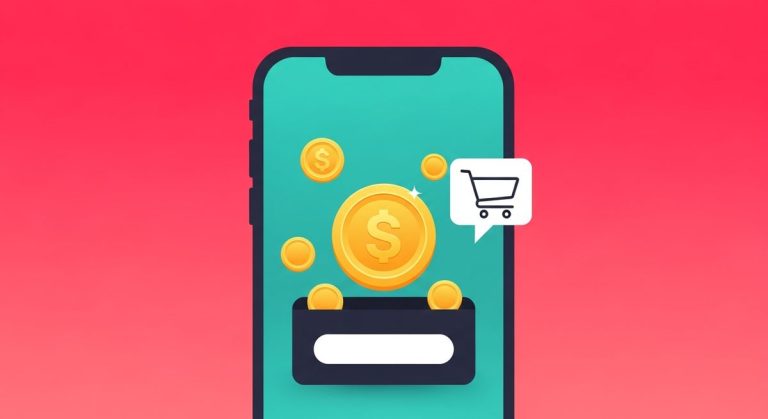
The in-app method works but costs more than the web alternative. Both Apple and Google take a commission on in-app purchases, and TikTok passes that cost through higher per-coin prices. If you need coins immediately and are on your phone, here is how it works.
On Android, open TikTok, tap your profile icon, then the three-line menu in the top right corner. Go to Settings and Privacy, then Balance, then tap Recharge. Pick a coin pack and complete the purchase through Google Play billing. On iOS, the path is identical up to the Balance screen, then payment processes through Apple in-app purchase. Both platforms display the exact coin amount before you confirm, so there are no surprises.
Pack sizes in-app typically run from 65 coins on the low end to 17,500 coins per transaction. You can buy multiple packs in one session. Once purchased, coins appear in your balance immediately and do not expire while your account stays active.
We tested this flow on both platforms in May 2026 and confirmed the menu path has not changed since TikTok’s 2024 UI refresh. One thing worth knowing: the in-app price you see on Android may differ slightly from iOS in certain regions, because promotional billing agreements between TikTok and each platform can create minor per-pack differences depending on your account type and country.
How to Recharge TikTok Coins on the Web and Why It Costs Less
Going through a browser is the most reliable way to get more coins per dollar. On any desktop or mobile browser, visit tiktok.com/coin and sign in. You will see the same pack options as in the app, but the price will be lower.
The reason is not complicated: when you pay through Apple’s App Store or Google Play, those platforms collect a fee of roughly 30% on standard transactions, and that fee is baked into the in-app coin price. Web purchases route through TikTok’s own payment processor, cutting out the platform middleman entirely. The savings are real. Users in markets like the US commonly receive 20 to 30% more coins for the same spend when they switch from in-app to web.
Before you top up, check the full TikTok coins purchase guide on CoinRo, which covers regional pricing differences and the cheapest recharge strategy by country. You can also use the TikTok coin calculator to see exactly how much any pack costs in your currency before you commit to buying.
Recharging via Third-Party Resellers
A secondary market of resellers claims to sell TikTok coins at discounts below even the web price. These range from gift card sites and top-up platforms to individual social media sellers.
Legitimate top-up platforms officially integrated with TikTok do exist in some regions, particularly Southeast Asia and the Middle East. They accept local payment methods that TikTok’s own site does not support and source coins at regional rates. If you find a platform operating transparently, with a clear refund policy and verifiable reviews, it may be safe to use.
Avoid any seller asking for your TikTok login credentials. TikTok coins are non-transferable between accounts and cannot be gifted account to account as raw coins. Any offer claiming otherwise is almost certainly a scam. Legitimate resellers credit your balance through TikTok’s official API or an authorized top-up flow, never by requesting your password. TikTok’s official help center explicitly states that sharing account credentials with third parties violates their terms of service and can result in permanent account suspension.
How Much Coins Cost When You Recharge
Coin prices vary by region, purchase platform, and pack size. Larger packs almost always give a better per-coin rate. The figures below are approximate ranges based on US pricing as of early 2026. Prices in your country will differ, sometimes substantially, due to regional pricing adjustments TikTok applies based on local purchasing power.
- 65 coins: approximately $0.99 in-app (around $0.015 per coin)
- 330 coins: approximately $4.99 in-app (around $0.015 per coin)
- 660 coins: approximately $9.99 in-app (around $0.015 per coin)
- 1,321 coins: approximately $19.99 in-app (around $0.015 per coin)
- 3,303 coins: approximately $49.99 in-app (around $0.015 per coin)
- 6,607 coins: approximately $99.99 in-app (around $0.015 per coin)
Via the web, the same dollar amount typically yields 20 to 30% more coins. In some markets and on larger packs, the effective rate drops to approximately $0.0105 per coin. The full TikTok coin price breakdown on CoinRo covers each major pack size in real money and explains what popular gifts actually cost in coins.
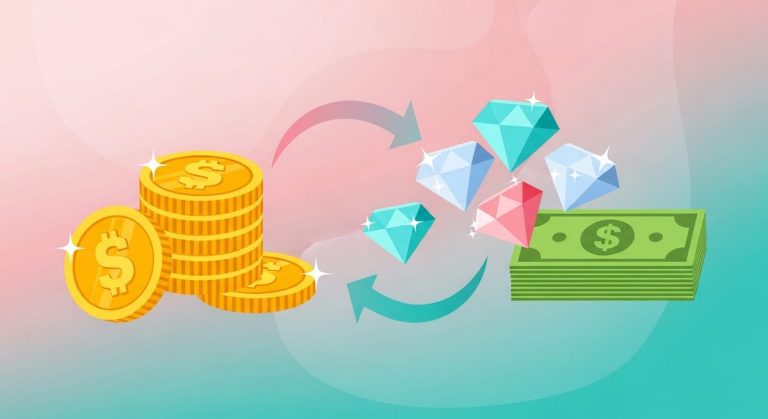
If you want to track what coins convert to in gifts or diamonds, the TikTok diamond calculator maps the coin-to-diamond relationship and shows what creators actually receive after TikTok deducts its platform share from the payout.
Payment Methods Accepted for TikTok Coin Recharge
Accepted payment options depend on whether you recharge in-app or on the web, and on your country. The range of supported methods is wider on the web than in-app, which is another practical reason to prefer the browser route.
In-app on iOS accepts any payment method tied to your Apple ID: credit cards, debit cards, Apple Pay, and Apple gift card balance. In-app on Android uses Google Play billing, which supports credit cards, debit cards, Google Pay, and carrier billing in select markets.
On the web at tiktok.com/coin, most regions accept Visa, Mastercard, PayPal, and various local payment options. Some Southeast Asian markets support e-wallets and direct bank transfer. Middle Eastern markets frequently support local payment processors not available through the App Store or Google Play. If you are in Indonesia and want to see prices in your local currency before buying, the TikTok coins to IDR converter gives you a real-money figure for any pack size.
A note on prepaid cards: some prepaid Visa and Mastercard cards work on tiktok.com/coin, but others get declined by TikTok’s fraud filters. If a prepaid card fails, try a standard debit card linked to a bank account, which clears more reliably.
Common Recharge Problems and How to Fix Them
Recharge issues fall into two categories: payment failures and coins not appearing after a successful charge. Both are solvable.
Payment failed during recharge. The most common cause is a card decline. Verify that your billing address matches exactly what your bank has on file. International cards sometimes get flagged when processing charges from a foreign platform. Contact your bank and whitelist the TikTok transaction. On iOS, a failed Apple in-app purchase usually traces back to a payment method issue inside your Apple ID settings, not TikTok itself. On the web, clearing cookies and switching browsers resolves a significant portion of checkout errors caused by session problems.
Coins not showing after payment. If your payment went through but your coin balance did not update, wait up to 10 minutes. Server-side crediting can lag during high-traffic periods. If coins have not appeared after 15 minutes, check your email for a payment confirmation. With confirmation in hand but no coins, open TikTok support through the app via Profile, Settings and Privacy, then Report a Problem, and submit your transaction ID. TikTok’s support team can credit missing coins once they verify the charge on their end.
Recharge option not available. Some accounts, particularly new accounts or those under a policy review, temporarily lose access to coin purchasing. If the Recharge button is missing from your Balance screen, check for policy notifications in your TikTok inbox. Accounts registered as under 18 in most markets cannot purchase coins at all, per TikTok’s platform rules.
Frequently Asked Questions
What is TikTok coins recharge?
Recharging TikTok coins means purchasing the platform’s virtual currency to send gifts to creators during live streams or on videos. One coin costs roughly $0.01 to $0.015 USD depending on the pack size and where you buy. Coins are non-refundable once purchased and tied to the account that bought them.
Is it cheaper to recharge TikTok coins on the web instead of the app?
Yes, by a meaningful margin. Buying through tiktok.com/coin bypasses the Apple App Store and Google Play fees of approximately 30%, so TikTok can price web packs lower. Most users get 20 to 30% more coins for the same spend compared to in-app purchasing.
Can I recharge TikTok coins from any country?
Coin purchasing is available in most countries where TikTok operates, but payment methods and pack prices vary by region. Some countries have locally priced packs that are substantially cheaper than US pricing when converted at current exchange rates. A handful of markets have restrictions due to local regulations.
Do TikTok coins expire after I recharge them?
Coins do not expire as long as your account remains active and in good standing. If TikTok suspends or permanently bans your account, any unused coin balance is forfeited per their terms of service. There is no mechanism to transfer or cash out unspent coins.
Why does my TikTok coin recharge keep failing?
The most common reasons are a card decline, billing address mismatch, or a temporary bank block on cross-border transactions. Try the web checkout instead of in-app, use a different payment method, or contact your bank to authorize the charge. If failures continue, report the issue through Settings and Privacy, then Report a Problem inside the TikTok app.
How many coins do I need for popular TikTok gifts?
Gift costs vary widely. The cheapest gifts start at 1 to 5 coins. Mid-tier gifts cost hundreds of coins, and premium options like the TikTok Universe gift cost 34,999 coins. Most casual gifters spend in the 1 to 500 coin range per live session. Gift coin costs have remained stable through early 2026.
Written and maintained by the CoinRo editorial team. Last updated 29 May 2026. Coin pricing and platform mechanics reflect TikTok’s published terms at the time of writing and can change without notice.